
Prompt-based editing
Change objects, materials, lighting, weather, or visual style with plain-English instructions.
Upload an image, describe the change, and create a new version while preserving the subject, layout, and composition that matter.
 01
01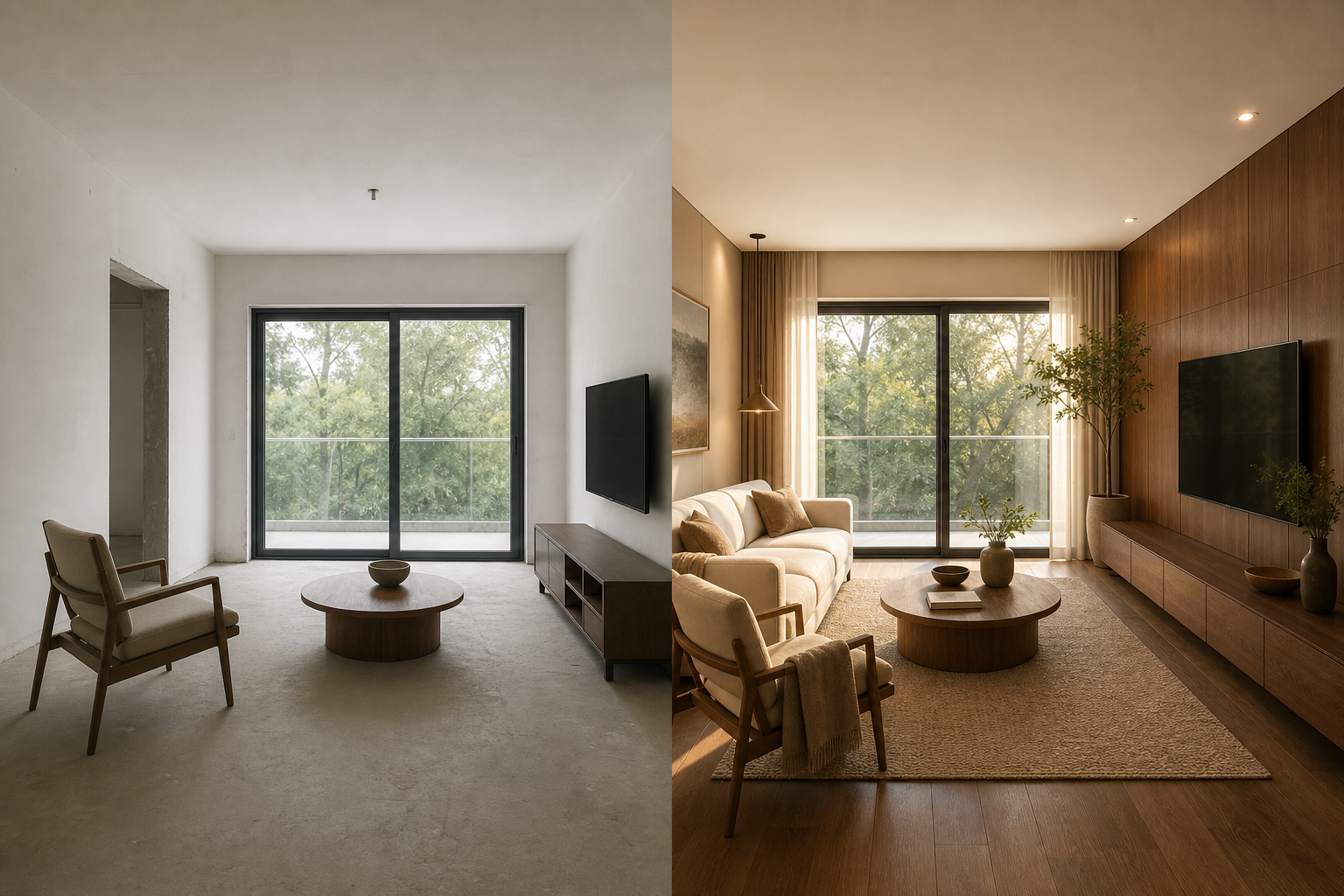 02
02Image-to-image AI is a generative workflow that turns one image into another. Unlike a text-to-image generator, it uses your uploaded photo, render, or sketch as a visual reference. A prompt then directs the change—from a new background or material to a different time of day, art direction, or finished style.
The source image helps the model understand composition, subject placement, perspective, and visual identity. That makes an image to image AI generator useful when you want a deliberate edit rather than an unrelated reroll from a blank canvas.
Change objects, materials, lighting, weather, or visual style with plain-English instructions.
Use the source image as guidance for the subject, framing, proportions, and scene layout.
Choose GPT Image 2 or Nano Banana options based on the detail, resolution, and credit cost you need.
Create polished outputs for product, marketing, social, concept, and personal creative work.
Keep the visual foundation, then direct a precise change for product photography, architecture, portraits, illustrations, and creative concepts.
Move a product into a campaign-ready scene without rebuilding the composition.
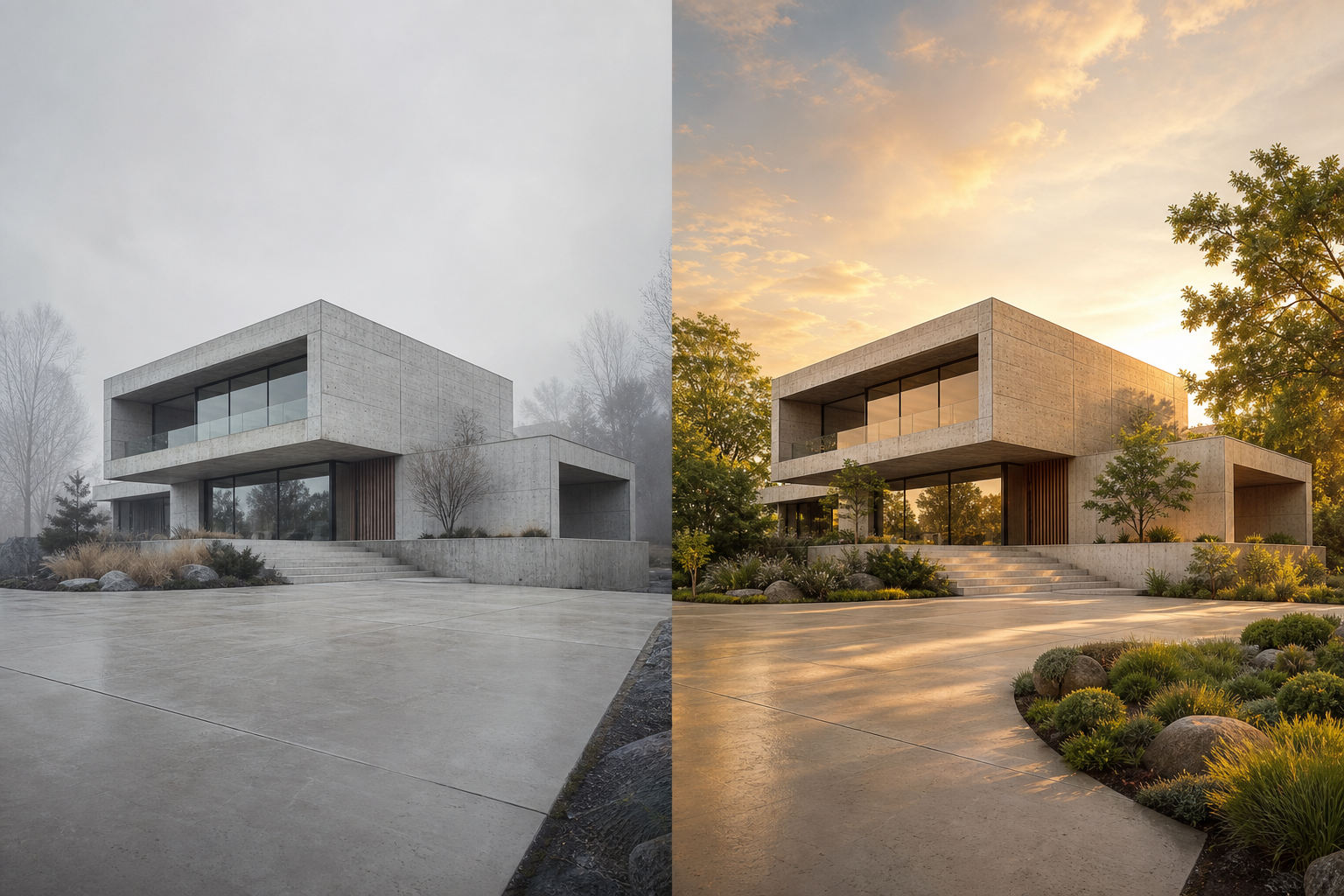
Explore use caseExplore seasons, materials and lighting while preserving the original structure.
Explore use caseTurn a rough visual into a polished direction your team can react to.
Explore use caseStart with a JPG, PNG, or WebP photo, render, sketch, or existing AI image.
→Write what should change and what the image-to-image AI must keep unchanged.
→Choose a model, compare the result, then adjust the prompt or transformation strength.
✓Keep your composition. Change the weather, material, mood or context.
Open the generatorUse image-to-image when an existing subject or composition should guide the result. Use text-to-image when you want to create a visual from words alone.
Direct answers about source images, prompts, models, credits, and commercial use.
Image-to-image AI transforms an existing source image into a new version. The uploaded image guides the subject and composition, while a text prompt describes the edits, style, lighting, materials, or setting you want.
Yes. Upload a JPG, PNG, or WebP image, describe the intended change, and the model generates a new image using the original as visual guidance.
Text-to-image starts from a written prompt and a blank canvas. Image-to-image starts with an existing visual, making it better for controlled revisions that should retain a subject, pose, layout, or composition.
Use a clear source image, state what must remain unchanged, and keep transformation strength lower when fidelity matters. Stronger settings allow a larger creative departure.
GPT Image 2 1K is the efficient default. GPT Image 2 2K and GPT Image 2 4K suit higher-resolution or more demanding edits. Nano Banana models are useful for fast, reference-aware transformations. The selector shows the credit cost before generation.
The generator accepts common web image formats including JPG, PNG, and WebP, up to the upload limit displayed in the workspace.
Paid credit exports include a commercial license, subject to the rights in your input images, prompts, and the applicable AI provider terms.
No. Purchased credits are one-time purchases, remain in your account until used, and do not start a subscription or automatic renewal.